The easy way
- Install Stash, move it to Applications and open it once.
- Open Settings → AI and click Connect next to OpenCode.
- Start a new session.
Stash changes only its own entry, keeps a one-time backup of the file, and stops without changing anything if the file is locked or looks unusual.
The newer layout (version 2)
Servers sit under mcp.servers. If your file looks like this, Stash won't edit it. Copy Setup gives you these lines to paste:
{
  "mcp": {
    "servers": {
      "stash": {
        "type": "local",
        "command": [
          "/Applications/Stash.app/Contents/MacOS/Stash",
          "--mcp"
        ]
      }
    }
  }
}Or let OpenCode write it:
opencode mcp add stash --global -- /Applications/Stash.app/Contents/MacOS/Stash --mcpThe older layout
Servers sit straight under mcp. Connect writes this for you:
{
  "mcp": {
    "stash": {
      "type": "local",
      "command": [
        "/Applications/Stash.app/Contents/MacOS/Stash",
        "--mcp"
      ],
      "enabled": true
    }
  }
}The file is ~/.config/opencode/opencode.json, or opencode.jsonc.
Check it
opencode mcp listTry asking
- “Use the error I just copied.”
- “What did I copy from the docs about auth?”
- “Save this plan to my Stash.”
With a local model
OpenCode can use a model on your own computer. Then what Stash hands over stays on the Mac.
What it can see
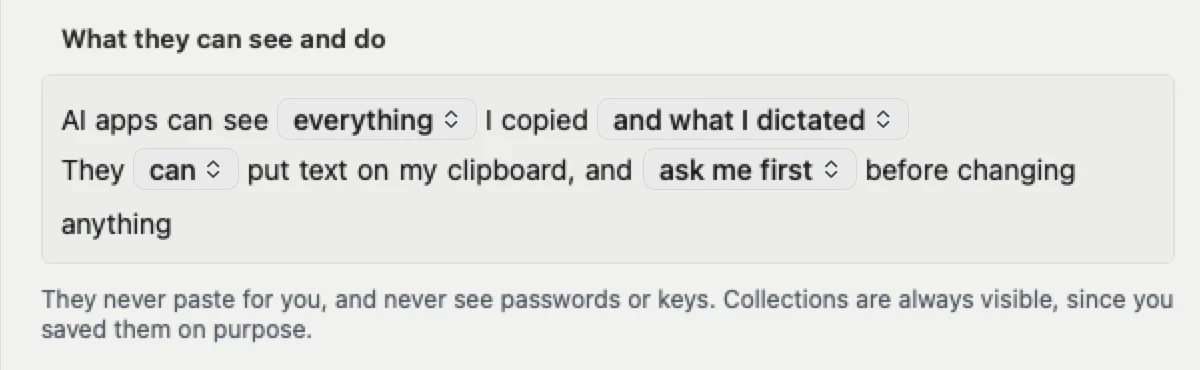
At first: your whole history, collections, dictations, snippets and dictionary, except secrets Stash recognises. What it reads goes to that app and usually to its company. Narrow it in Settings → AI: the last hour, day, 7 or 30 days, with or without dictations. The full list.
Questions
Why does Stash say the file uses a newer layout?
Because an entry written the older way would be misread there. Nothing was changed. Copy Setup gives you the lines in the newer layout.
Command and arguments: one list or two?
One list in OpenCode. Most other apps use a command and a separate args list.
How do I remove it?
Disconnect in Stash, or delete the stash entry.